软件说明About this release
它是什么
墨时钟是把老「简黑时钟」重做并做成超集的安卓大字时钟:原版功能一项不少,显示方式和新增功能翻倍。整屏自绘、零第三方依赖、不需要账号、不需要 root,一个 480 KB 的 APK,最低装到安卓 4.0.3(minSdk 15)——家里那台退休的旧手机、平板,或者只想在床头显示时间的机器,就是它的目标。
作者自己的口径是:兼容性不是靠"minSdk 写了 15"证明的,而是靠脚本把成品 dex 里每一条 API 调用逐条核对出来的。
28 种显示方式
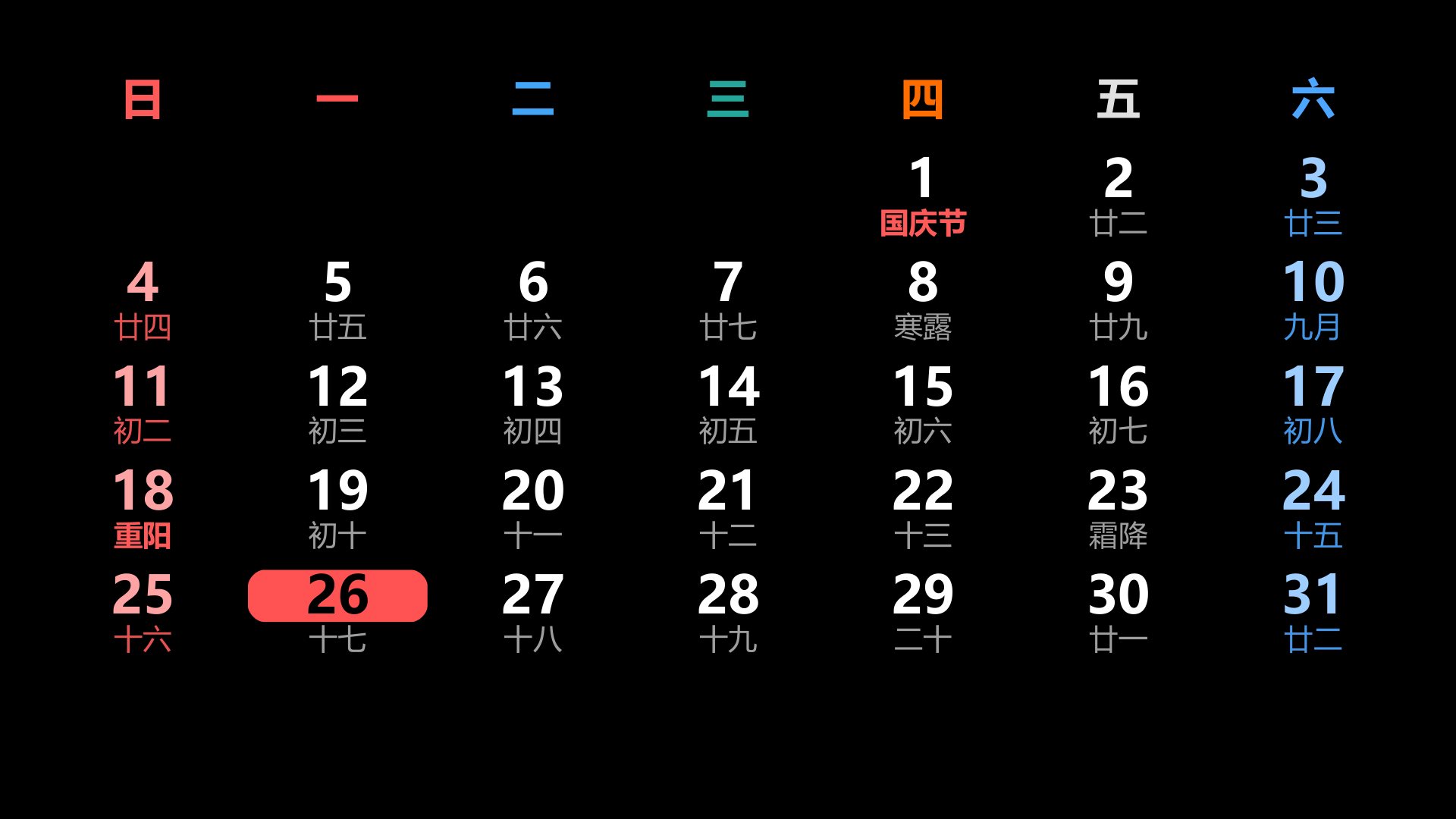
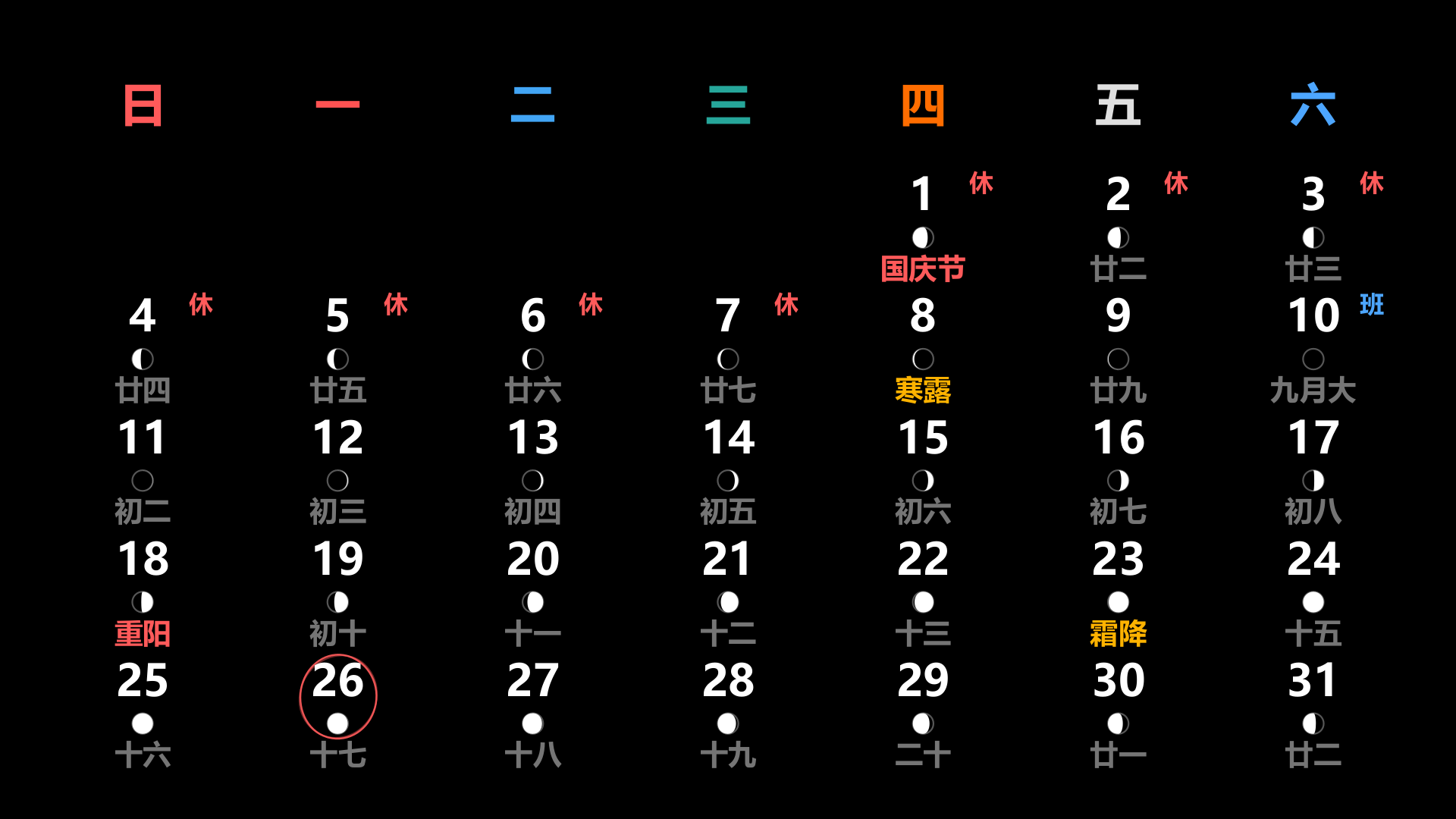
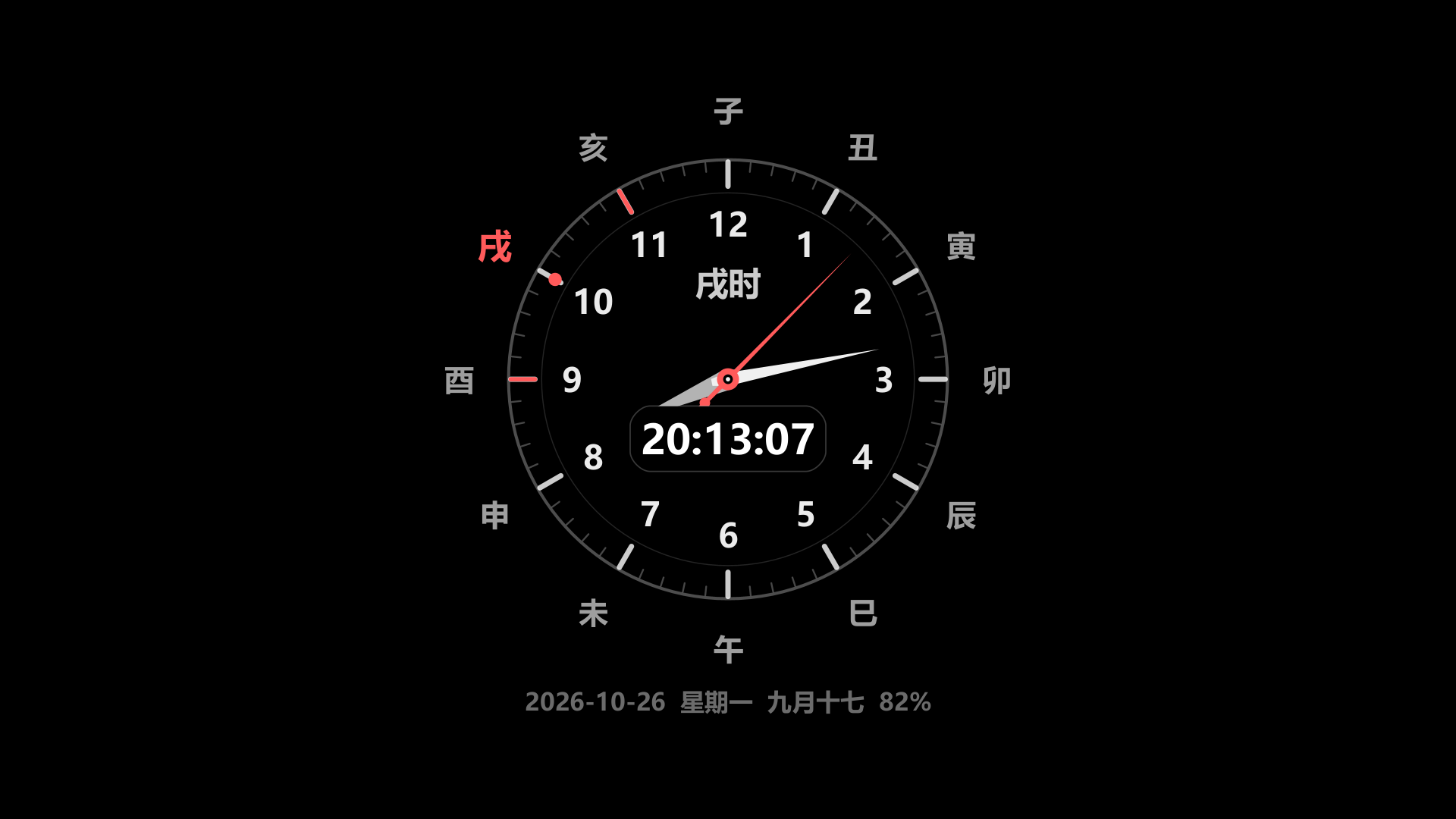
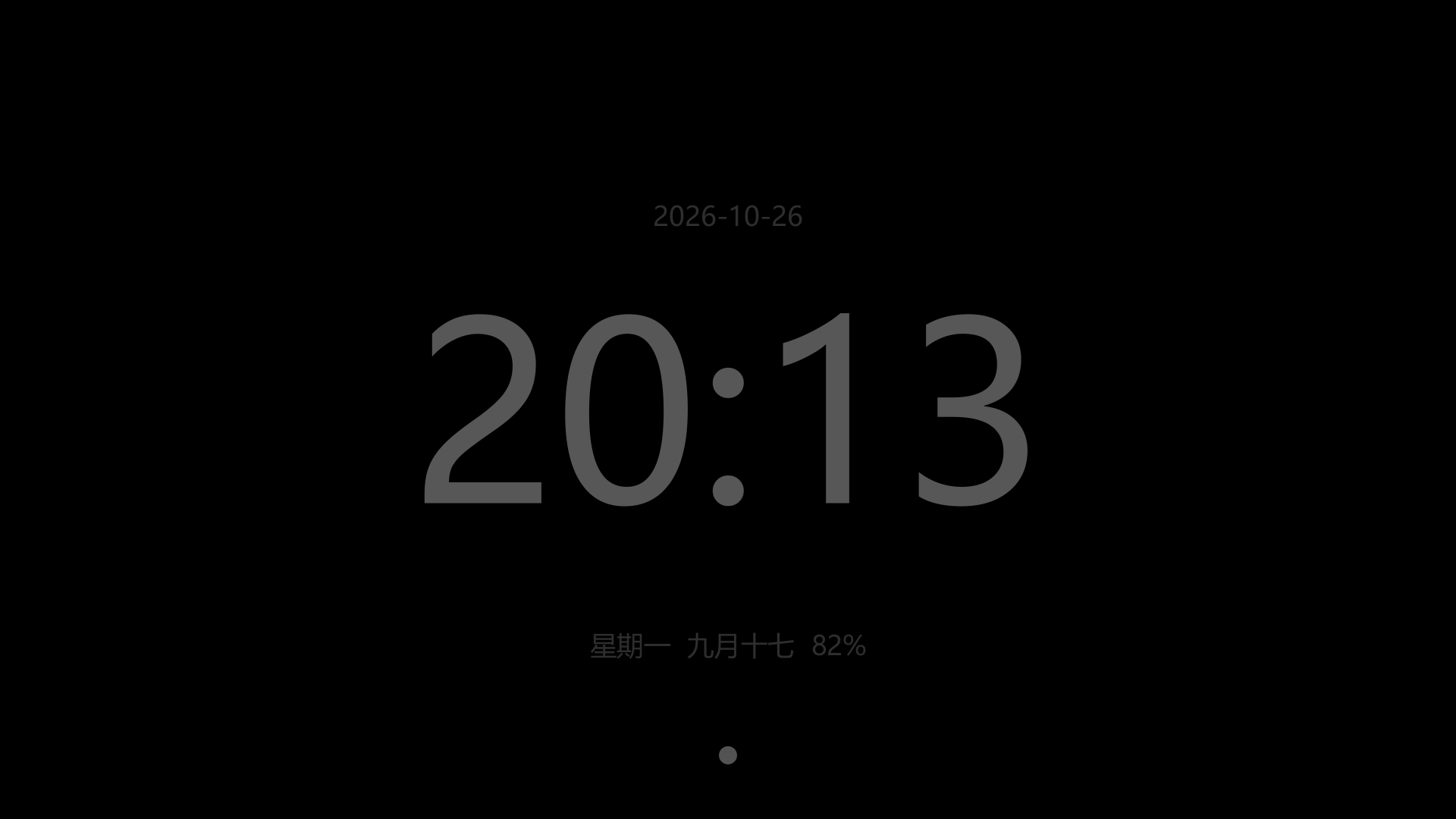
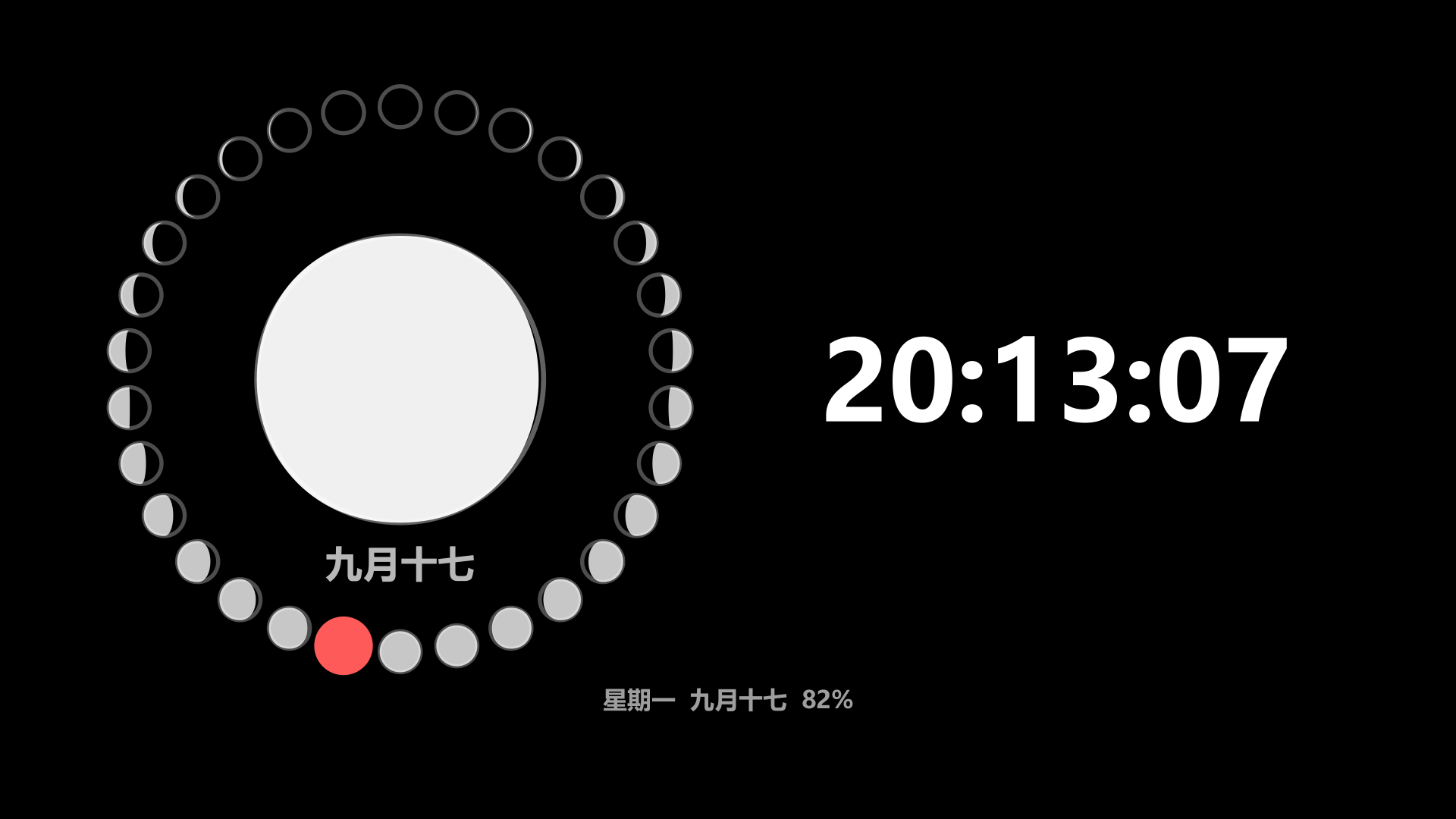
横排大字 / 竖排堆叠 / 角落小样 / 指针表盘 / 圆环进度 / 七段数码管 / 点阵像素 / 爱心字 / 翻牌卡片 / 滚轮 / 文字钟 / 世界盘 / 月历 / 黄历 / 地支盘 / 节气环 / 月相盈亏盘 / 三项倒数日 / 进度条时钟 / 昼夜弧 / 竖排标签 / 空心大字 / 蓝图 / 日晷 / 沙漏 / 轨道盘 / 霓虹灯 / 天文盘。
算盘钟与竹简两种在 0.0.13 已删除(占体积、也看不出时间)。
中式历法与天文,全部本地算
- 农历、节气、干支、生肖、宜忌、时辰、五更由内置引擎现算,不联网;
- 月相盈亏盘按朔望月解析计算,日出 / 日落 / 月出 / 月落用本地天文算法(Meeus 低精度式)算,同样不联网;
- 节气环 24 格、十二时辰环、更点,都能直接当钟面用;
- 世界时钟用内置时区表,不查网络。
天气
天气数值走 6 个来源:Open-Meteo、wttr.in、7timer、MET Norway、作者自建 ASP 中转,以及自定义网址(自己填起止文字就能接)。城市表是随包的 34 省 / 392 市 / 3577 县区(和风天气 2025-06-20 快照,约 120 KB),选城市时省 → 市 → 县逐级下钻,搜索框是自绘的字母盘打拼音或首字母,要写汉字按「中」键借系统输入法。天气文案按 8 个 WMO 档位 × 9 种语言给出。
「自动定位」是可选项,不在设置里打开就不会问定位权限;拿不到坐标就退回你选的城市,坐标优先级是 手动 > 系统定位缓存 > 天气城市,引擎自己不开 GPS。
原版保留的能力
字号、50 预置色 + 自定义色、彩虹字、呼吸动画、自定义背景图(横屏竖屏分开配)、自定义 TTF/OTF 字体、农历、电量、冒号闪烁、秒针滴答声、正计时、倒计时、闹铃、整点响铃、自录语音包、夜间模式、镜像、锁屏显示、双指缩放、屏幕常亮、方向锁定、检查更新、崩溃反馈。
新增的部分
- 倒数日 / 纪念日:可每年循环,1 项或 3 项两种显示;
- 番茄钟;
- 世界时钟多城市(内置时区表);
- 主题预设 20 套;
- 人来亮屏 / 人不在熄屏:3 种探测方式可选(摄像头只做本地人脸检测,不拍照、不落盘、不联网);
- 整点报时扩展:滴答 / 钟声 / 鸟鸣 / 语音 / TTS;
- 自动轮播:默认间隔 60 分钟、默认勾选 6 种显示方式;
- 定时熄屏:默认 22:00–07:00;
- 字号主副行都可以 10%–1000%,各行样式独立设字号 / 颜色 / 字体 / 上下位置;
- 设置导入导出 JSON。
0.0.16 的设置界面重做
左侧 9 个分类条:常用 / 显示 / 内容 / 样式 / 天文 / 声音 / 场景 / 工具 / 系统;顶部跨类搜索(按键名直接跳到对应项),长按可收藏成常用页,滑条就地拖动即时生效,档位用胶囊点选,另有一枚时刻盘用来定各种时间点。
手势与交互
单击 / 双击打开菜单(可配)、横滑切换显示方式、上下滑开关屏幕常亮、双指捏合调字号、双指拖动挪位置。横屏竖屏分别记背景图与各模式的布局。深色主题 + 夜间模式(定时 + 自定义亮度),AOD「暗色时钟」是伪熄屏风格——第三方应用无法真正断电,只能把画面压到接近纯黑。
语言
9 种界面语言:简体中文、繁體中文、English、日本語、한국어、Русский、العربية、Español、Français。阿拉伯语走 RTL 与东阿拉伯数字,词条表 434 条九语对齐,缺项自动回落。
怎么用起来
1. 下载 APK 直接安装(安卓 4.0.3 及以上都能装,不需要 root、不需要账号);
2. 首次打开是一整屏大字时钟,横滑就换显示方式,双指捏合调字号;
3. 想固定某一种:设置 → 显示 → 选模式,勾「自动轮播」就会按间隔换;
4. 要看农历 / 节气 / 月相:设置 → 内容,把对应行打开;
5. 要天气:设置 → 天气,选城市(可搜拼音首字母);自动定位默认关,不打开就不会要定位权限;
6. 想当床头钟:设置 → 场景,开夜间模式与定时熄屏(默认 22:00–07:00),必要时开屏幕常亮;
7. 想用「人来亮屏」:按首次向导把摄像头权限、忽略电池优化、开机自启三项打开,向导里绿 / 橙 / 灰标出实测状态,点未开启的行会直接弹对应权限。
桌面小部件(widget)本版未实现,文档里明确留作下一版;现在它是"一个全屏 App",不是桌面上的小组件。
屏幕"熄屏"是伪熄屏:第三方应用无法真正断电,只能压到接近纯黑。
帧率、声音、锁屏显示、AOD 的实机效果尚未在真机上逐项验证(开发机上没有可用设备 / 模拟器),装到具体机型上如有异常请走反馈。
wttr.in / 7timer / MET Norway 三个天气源未实测,取不到时会自动换源或显示上次结果。
天文盘的月亮与盘心净空偏紧,暂未调整。
当前 release 用 debug key 签名,属私用不上架的版本。
版权与联系
版权所有 (C) 1999-2026 vlss(星语)。作者 vlss,QQ 6460546,邮箱 vlss@qq.com。检查更新走 http://www.vlss.com/Update.asp?ID=MoClock(返回 latest= / date= / url= 三行文本,解析器不认识的一律忽略,拿不到 latest 就当失败,绝不把 404 网页里的数字当版本号);反馈走本站反馈板;打赏按地区分流,中国大陆显示随包的微信收款码,其它地区打开打赏网页。
What it is
MoClock is a large-type Android desk clock: a rebuild of the classic JH Clock taken further - every original feature kept, twice the display modes and additions. The whole screen is drawn by the app, there are no third-party libraries, no account and no root, and the single 480 KB APK installs as far back as Android 4.0.3 (minSdk 15) - the retired phone in a drawer, a tablet, or a device that should only ever show the time.
The author's own rule: compatibility is not proven by writing "minSdk 15", it is proven by checking every API call in the finished dex one by one with a script.
28 display modes
Horizontal bars, vertical stacks, corner mini, analogue dial, ring progress, seven-segment, dot matrix, heart glyphs, flip cards, roller, word clock, world dial, month grid, almanac, Earthly-Branch dial, solar-term ring, moon-phase dial, three countdowns, progress clock, day/night arc, vertical labels, hollow numerals, blueprint, sundial, hourglass, orbit, neon and the astrological dial.
The abacus and bamboo-strip faces were removed in 0.0.13 - heavy, and hard to read the time from.
Chinese calendar and astronomy, all on-device
- Lunar dates, solar terms, stem-branch, zodiac, almanac notes, traditional hours and watch periods are computed by a built-in engine, offline;
- the moon-phase dial is analytic, and sunrise / sunset / moonrise / moonset use local astronomical formulas (low-precision Meeus), also offline;
- the solar-term ring has 24 slots, and the twelve-hour and watch-period rings can be used as clock faces;
- the world clock uses a built-in timezone table and never queries the network.
Weather
Weather values come from six sources: Open-Meteo, wttr.in, 7timer, MET Norway, the author's own ASP relay, and a custom URL (mark the start and end text and you can wire in any page). The city table ships in the app - 34 provinces / 392 cities / 3577 districts (QWeather snapshot 2025-06-20, about 120 KB) - chosen province, then city, then district. The search field is a self-drawn keyboard for pinyin or initials; tap the "中" key to borrow the system IME for Chinese. Condition text covers 8 WMO categories across 9 languages.
"Automatic location" is opt-in: unless you switch it on in settings the app never asks for location permission. Coordinates fall back in the order manual > system cache > weather city, and the engine never turns the GPS on itself.
Everything the original had
Font size, 50 preset colours plus custom, rainbow text, breathing animation, custom background images (separately for landscape and portrait), custom TTF/OTF fonts, lunar date, battery, blinking colon, tick sound, count-up, countdown, alarm, hourly chime, self-recorded voice packs, night mode, mirror, lock-screen display, pinch zoom, keep-screen-on, orientation lock, update check, crash feedback.
What was added
- Countdowns and anniversaries, optionally repeating yearly, shown as one or three items;
- Pomodoro timer;
- World clock with several cities (built-in timezone table);
- 20 theme presets;
- Screen on when present / off when absent, with 3 detection methods (the camera is used for local face detection only - no photo, no storage, no upload);
- Extended hourly chimes: tick, bell, birdsong, recorded voice, TTS;
- Automatic rotation between modes (default interval 60 minutes, six modes ticked by default);
- Scheduled dimming (default 22:00-07:00);
- Font size 10%-1000% for both the main and secondary line, with per-line font, colour and vertical position;
- settings export / import as JSON.
The settings screen rebuilt in 0.0.16
Nine groups down the left: general, display, content, style, astronomy, sound, scenes, tools, system. A cross-group search at the top jumps straight to a setting, long-press adds to favourites, sliders apply in place, options are capsules, and a time dial handles every time-of-day value.
Gestures
Single or double tap opens the menu (configurable), swipe sideways to switch display mode, swipe up or down to toggle keep-screen-on, pinch to resize, two-finger drag to reposition. Landscape and portrait keep separate backgrounds and per-mode layouts. Dark theme plus night mode (scheduled, with its own brightness), and the AOD "dark clock" is a pseudo-off look - a third-party app cannot actually switch the panel off.
Languages
Nine interface languages: Simplified Chinese, Traditional Chinese, English, Japanese, Korean, Russian, Arabic, Spanish, French. Arabic runs RTL with Eastern Arabic numerals; 434 keys are aligned across all nine, with fallback for anything missing.
Getting started
1. Install the APK directly - Android 4.0.3 or newer, no root, no account;
2. The first screen is a full-bleed clock: swipe sideways to change mode, pinch to resize;
3. To keep one mode: display settings, then enable rotation if you want it to cycle;
4. For lunar dates, solar terms and moon phase: turn those lines on under content;
5. For weather: pick a city (pinyin initials work). Automatic location is off by default, so nothing is requested unless you enable it;
6. As a bedside clock: enable night mode and scheduled dimming (22:00-07:00), keep-screen-on if needed;
7. For presence detection: follow the first-run wizard through camera permission, battery-optimisation exemption and autostart - each row shows its measured state in green, orange or grey, and tapping an unmet row opens the matching system page.
Home-screen widgets are not implemented in this version - the docs reserve them for the next one. Today it is a full-screen app, not a small desktop widget.
"Screen off" is pseudo-off: a third-party app cannot cut the panel, only push it near black.
Frame rate, sound, lock-screen display and the AOD look have not been verified on real devices (no device or emulator on the build machine). Report anything odd on your model.
wttr.in, 7timer and MET Norway are untested sources; failures fall through to the next source or the last result.
The astrological dial's moon sits a bit tight against the centre and is not yet adjusted.
Releases are signed with a debug key: private use, not for store listing.
Copyright and contact
Copyright (C) 1999-2026 vlss (Xingyu). Author vlss, QQ 6460546, email vlss@qq.com. The update check reads http://www.vlss.com/Update.asp?ID=MoClock, three text lines latest= / date= / url=; anything unrecognised is ignored, and a missing latest is treated as a failure rather than showing a number scraped from a 404 page. Feedback goes to this site's board; donations show the bundled WeChat QR code in mainland China and open the donation page elsewhere.